
Club Membership Purchase Instructions
The following are instructions related to purchasing an Edenbridge Tennis Club membership for the 2026 season.
1. Go to PlayerCoach.pro to create your account.
Once on PlayerCoach you will need to register a new account (new members only).
2. Select Approve Cookies AND Click on Register:

3. Complete form and the Captcha. Press Register:
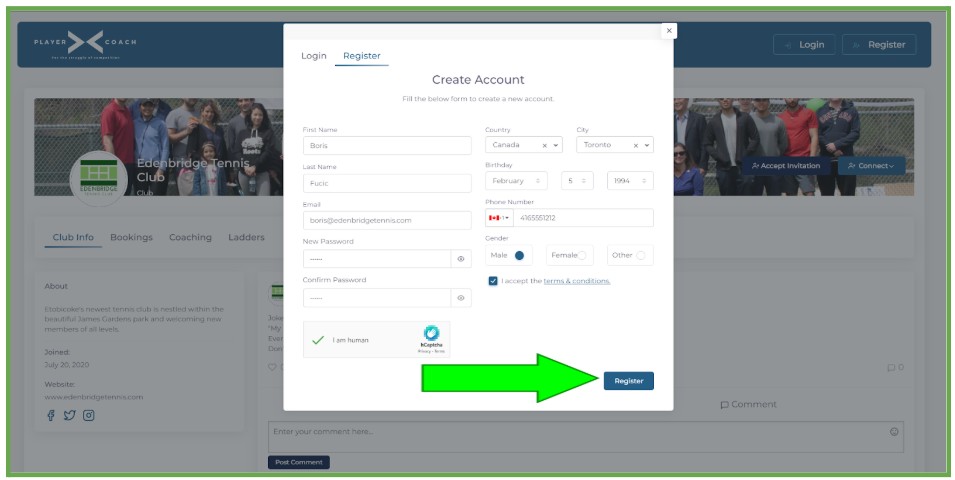
4. You will be prompted with this screen:
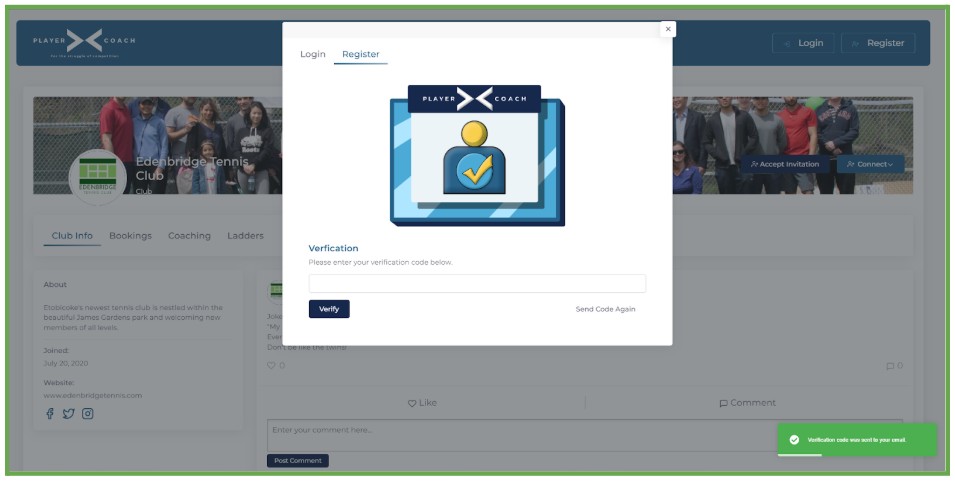
5. Check your email and copy the code.
The email should look like this: (Be sure to add the email address to your address book to ensure future emails do not go to spam):
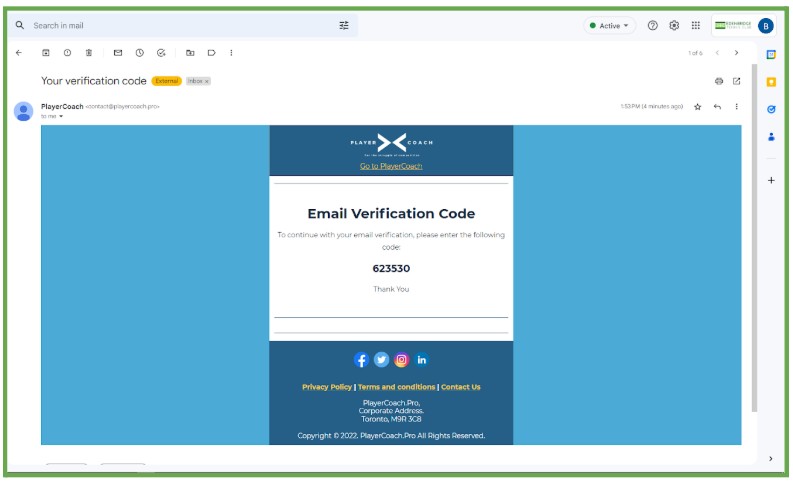
SPECIAL NOTICE – If you do not receive our email within a couple of minutes, check your spam folder. This is most commonly the issue with GMAIL accounts. If you cannot find the email in your inbox or spam folder press Send Code Again until the email is received. In some cases, this requires a few resend attempts. Ensure that you mark the email address as NOT SPAM when email is received. You should receive all emails in your inbox from this point forward.
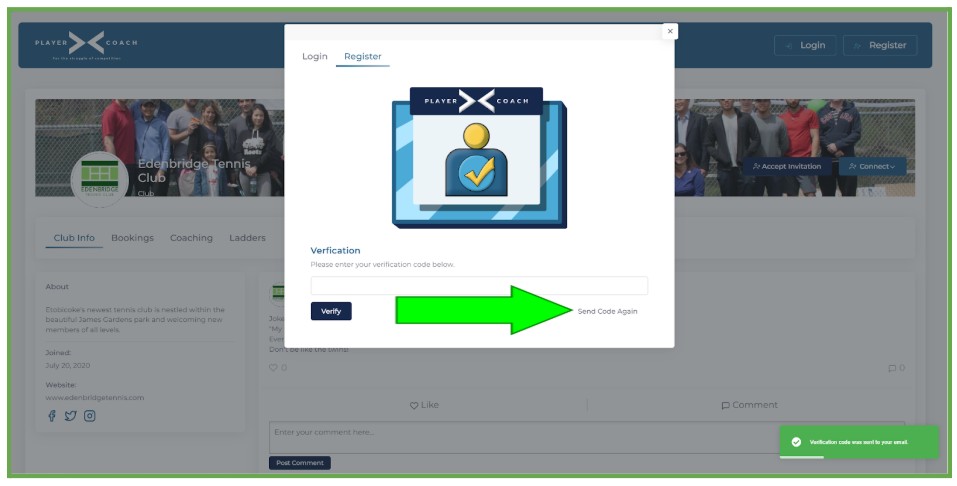
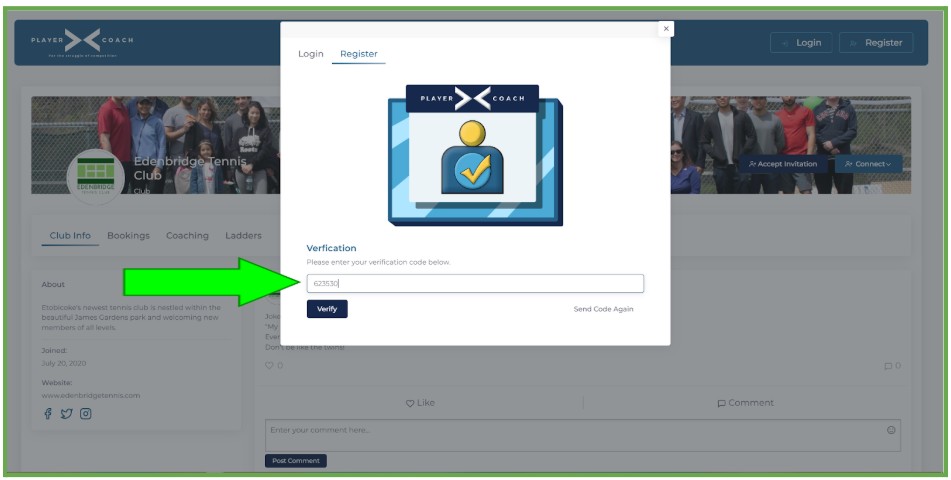
6. Paste/Enter the code and select Verify:
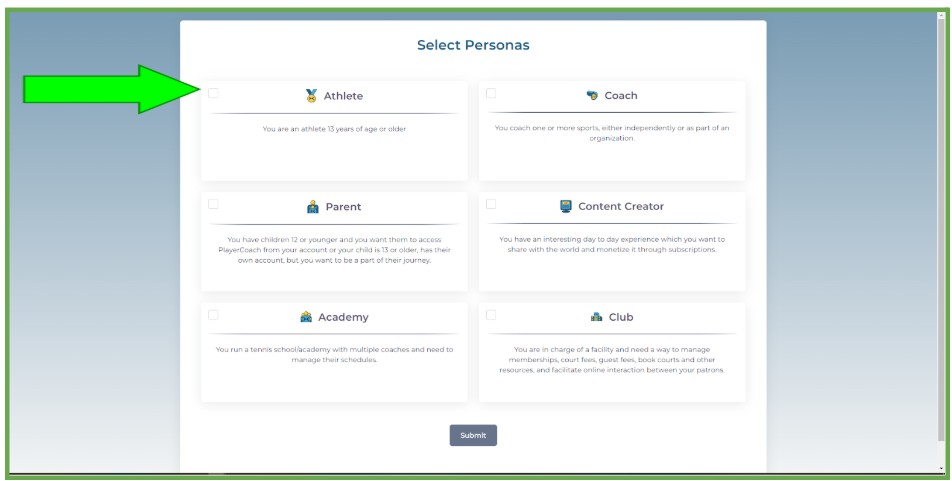
7. Select Athlete and click Submit:
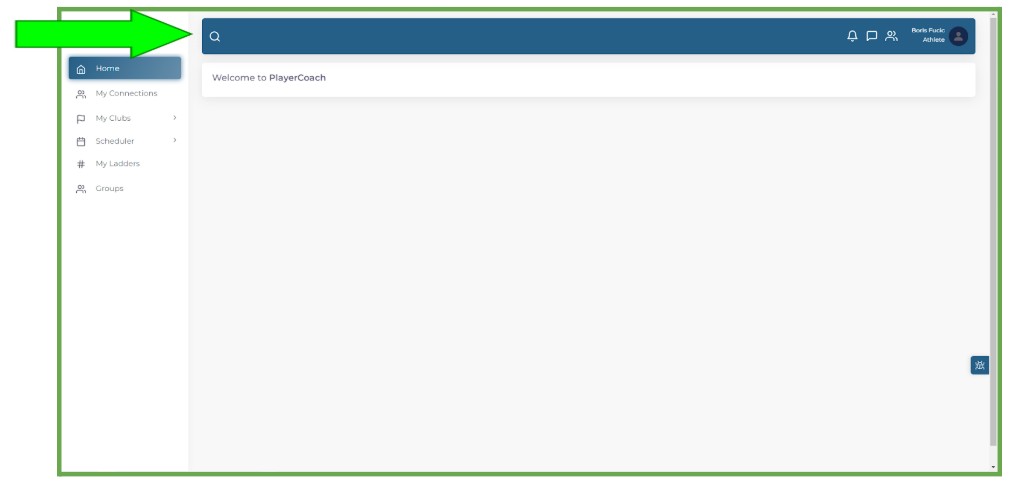
8. Click on the magnifying glass.
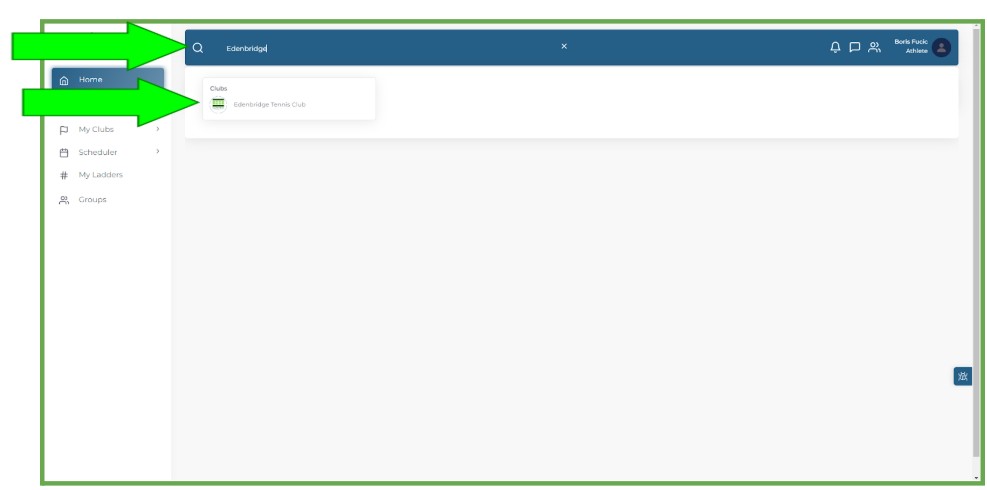
9. Type: “Edenbridge” and Select the club from the resulting search.
10. Select Buy Membership:
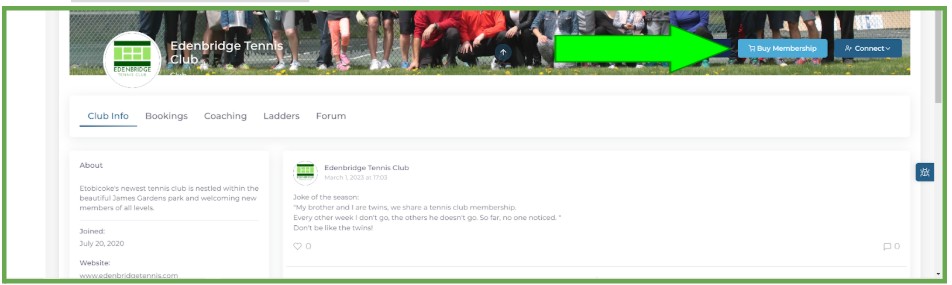
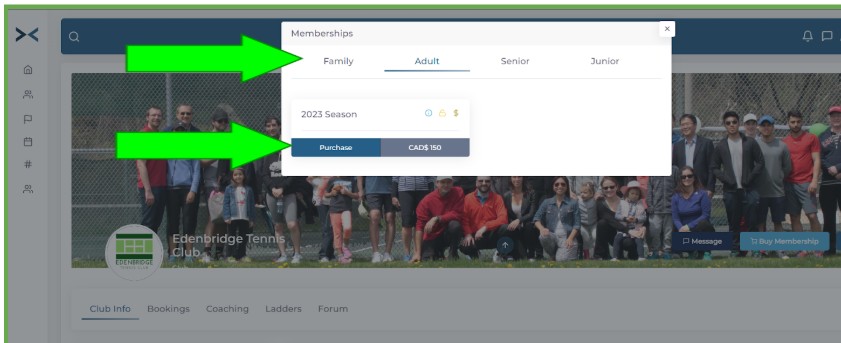
11. Select Type of Membership and Choose Purchase:
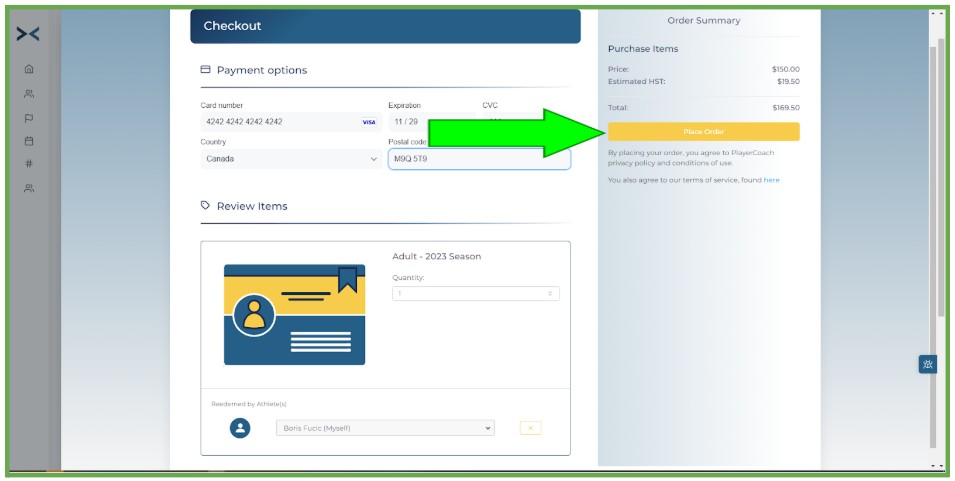
12. Fill in your credit card information and choose Place Order:
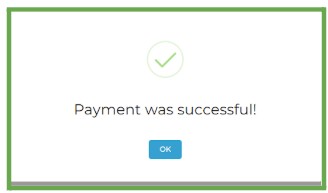
13. You will see the following:
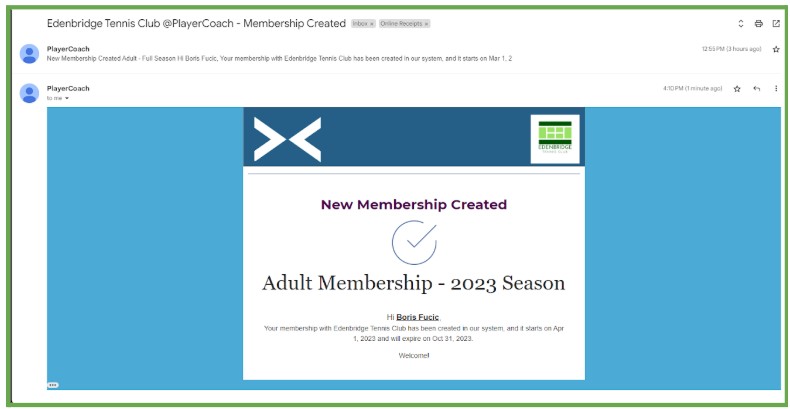
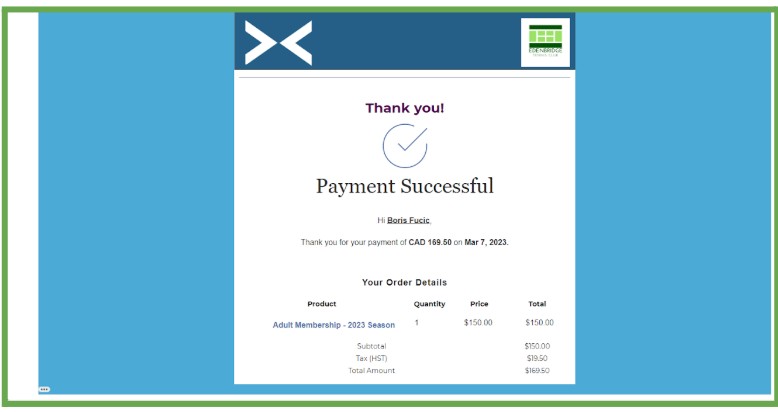
14. You will receive two emails (Payment Successful & Membership Created):
Thank you for purchasing your membership at Edenbridge Tennis Club!
This completes the sign-up process. We will be opening up court booking functionality within Player Coach when our permit becomes active.